Auto-delivery · Instant
Gmail
商品詳細
High-quality Gmail mailbox purchase - manual registration, account security, immediate use
Purchase a new Gmail email account and enjoy stable and secure email services! Each account is manually registered and undergoes strict verification to ensure that the account is clean and usable. Whether you use it for personal communications, business purposes, or other needs, you can quickly get a new Gmail account.
Example
example@mail.com;example_password;example_submail;example_submail_password
Why choose our Gmail account?
- Manual registration: All accounts are registered manually to ensure that the accounts are clean, have no binding history, and are fully usable.
- Verification OK: Each account has been strictly verified to ensure that it can be used normally in Gmail and other Google services.
- Immediate use: After purchase, you can log in directly with the provided account number and password, no additional operations are required.
- Clean Account: Not bound to any other services, suitable for personal or corporate use.
Advantages of using a Gmail account
- The world's top email service: Gmail is one of the most popular email services in the world, providing powerful email management functions and security.
- Large Storage: Each Gmail account provides 15GB of free storage space to meet your daily email, file and photo storage needs.
- Cross-platform support: Support Windows, macOS, iOS, Android and other devices to access your mail anytime, anywhere.
- Powerful Integration: Gmail is tightly integrated with other Google services (such as Google Drive, Google Calendar, Google Docs, etc.) to provide a smoother experience.
- Excellent Security: Gmail provides two-factor authentication to ensure account security and prevent unauthorized access.
How to use after purchase
-
Login address: [Click here to log in Gmail](https://accounts.google.com/v3/signin/identifier?checkedDomains=youtube&continue=https%3A%2F%2Fmail.google.com%2Fmail%2F&ddm= 0&dsh=S554184408%3A1729276909718212&ec=GAlAFw&flowEntry=AccountChooser&flowName=GlifWebSignIn&hl=en&pstMsg=1&service=mail&authuser=0)
-
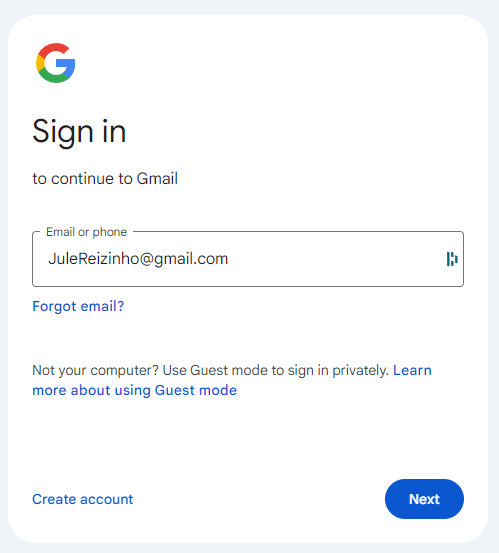
Enter account number and password: After the login page appears, directly enter the provided email and password to log in.
-
Select Account Settings: After logging in, you will enter the account setting interface and select Bind secondary email or Change email information as needed.
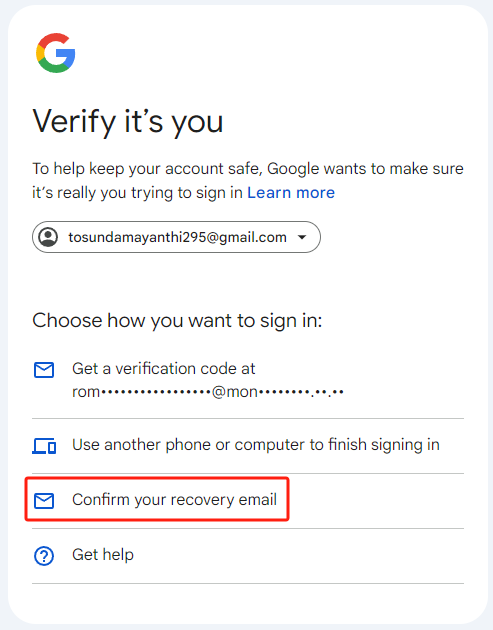
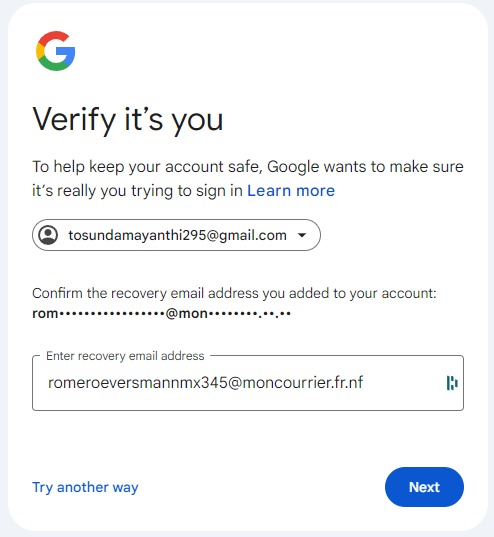
- Enter recovery email: You can enter your recovery email address in the account settings and perform security verification.
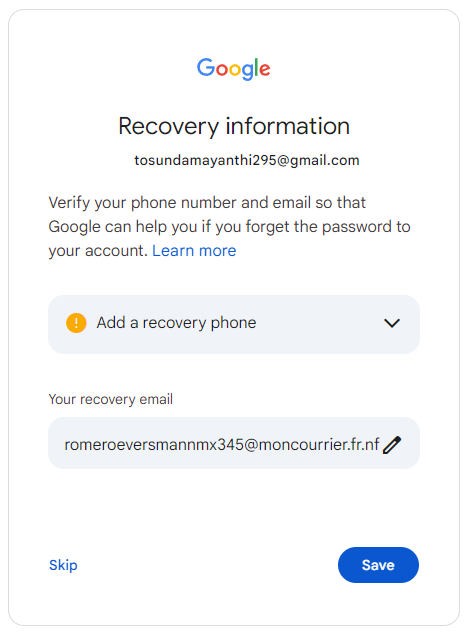
- Choose whether to bind your mobile phone number: According to your needs, you can choose whether to bind your mobile phone number to enhance account security.
Precautions for use
- Field Separation: Please ensure that each field in the account information is separated by semicolon (;) to avoid format errors that may lead to inability to log in.
- Security Tip: After purchasing, please change your account and secondary email password as soon as possible to ensure account security.
- Account Settings: After logging in, it is recommended to check immediately and set up a secondary email address or bind a mobile phone number as needed to enhance account security.
Customer Service Support
If you have any questions or concerns, please feel free to contact the following customer service:
- Telegram Customer Service: @taohao360
Account format
key;Link tool
Note: Delivery contains a redemption key and activation tool link. Visit the redemption page to obtain the login credentials for the custom domain Google account.
- Counting starts at first login: The 24-hour validity period starts counting from the first successful Gmail login, please plan your usage accordingly.
種類を選択
款式を選択
1 / 3
¥7.68¥8.16
支払い方法
Softreg · ×1
¥7.68